


Exploring the Power of Kali Linux in Termux :
Introduction:
In the world of cybersecurity and ethical hacking, Kali Linux has established itself as a powerful and versatile operating system. It is widely used by professionals and enthusiasts alike for various security-related tasks. However, carrying a dedicated laptop or running a virtual machine to access Kali Linux may not always be convenient. That's where Termux comes into play. In this blog post, we will explore how you can harness the power of Kali Linux within the lightweight and portable Termux environment.
What is Termux?
Termux is an Android terminal emulator and Linux environment app that provides a command-line interface to interact with your Android device. It allows you to install and run various Linux distributions, tools, and utilities on your Android smartphone or tablet, making it a versatile platform for development, testing, and exploration.
Exploring Kali Linux capabilities in Termux:
Once you have Kali Linux set up in Termux, you can access a wide range of security tools and perform various tasks, such as:
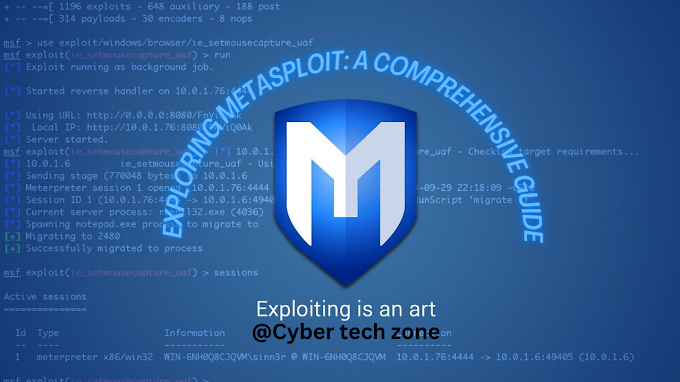
1. Penetration testing: Kali Linux is renowned for its extensive collection of penetration testing tools. You can use tools like Metasploit, Nmap, Wireshark, Aircrack-ng, and many more to perform security assessments, vulnerability scanning, and network analysis.
2. Web application testing: Kali Linux offers numerous tools for testing the security of web applications. Tools like Burp Suite, OWASP ZAP, and SQLMap can help you identify vulnerabilities, perform SQL injections, and test the security of web servers.
3. Wireless network auditing: With Kali Linux in Termux, you can leverage tools like Reaver, Fern Wifi Cracker, and Wifite to audit wireless networks, crack passwords, and assess network security.
4. Forensics and data recovery: Kali Linux includes tools such as foremost, scalpel, and TestDisk for data recovery and forensic analysis. You can use them to recover deleted files, investigate disk images, and gather evidence during forensic investigations.
Conclusion:
With the combination of Kali Linux and Termux, you can carry the power of a full-fledged security-focused operating system in your pocket. Whether you are a cybersecurity professional or an aspiring ethical hacker, being able to run Kali Linux on your Android device opens up a world of possibilities for testing, learning, and exploring the world of cybersecurity. So, go ahead, set up Kali Linux in Termux, and unleash your inner hacker while staying portable and lightweight. Happy hacking!
𝗜𝗻𝘀𝘁𝗮𝗹𝗹𝗮𝘁𝗶𝗼𝗻 𝗰𝗼𝗺𝗺𝗮𝗻𝗱𝘀👇
1. Install Termux: Download and install the Termux app from the Google Play Store.
2. Launch Termux: Open the Termux app on your Android device.
3. Update and upgrade packages: Run the following command in Termux to update and upgrade the package repositories:
- apt update && apt upgrade
- termux-setup-storage
4. Install required packages: Install the necessary packages by running the following command:
- pkg install git wget
5. Install Kali Linux: Once the required packages are installed, you can proceed to install Kali Linux in Termux by running the following command:
- wget -O install-termux-nethunter-termux https://offs.ec/2MceZWr
- chmod +x install-nethunter-termux
- ./install-nethunter-termux
Note:- if you are getting an error in the installation then you download directly [install-nethunter-termux]
For download nethunter file DM me on Instagram & Facebook
6. Start Kali Linux: After the installation is complete, you can start Kali Linux by running the following command:
- nethunter - 𝗳𝗼𝗿 𝗰𝗹𝗶
- nethunter kex & - 𝗳𝗼𝗿 𝗴𝘂𝗶 𝗺𝗼𝗱𝗲
Note: Running Kali Linux in Termux provides a limited environment compared to running it on a dedicated machine. Some advanced features and tools may not be fully functional or available.


.png)
.png)
_11zon.jpg)
_11zon.jpg)



Wow..I can’t believe it that I was able to install kali linux in android… Thanks for clear guidance on that.
ReplyDeleteNice 👍🙂
ReplyDelete